

Easy Context Menu 1.6
Extends the functionality of the Windows context menu
Program info
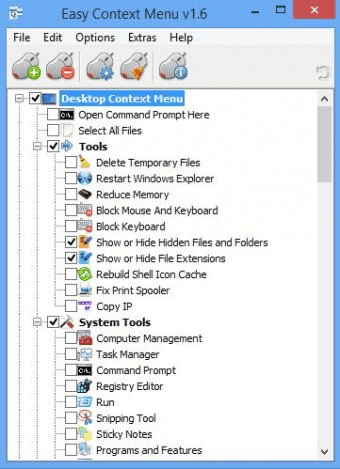
Tweak your operating-system's right-click menu by adding new shortcuts and commands to it such as launching the CMD console, deleting temporary files, showing hidden files, blocking the keyboard, launching the task manager, etc. Select the items that you want to add to the context menu and next time you click the right mouse button you will see them in the menu that pops-up.
Easy Context Menu (ECM) lets you add a variety of useful commands and tweaks to the Desktop, My Computer, Drives, File, and Folder right-click context menus. This program enables you to access the most used Windows components quickly and easily, by simply checking the box next to the items you wish to add. Once added, just right click, and then select the component shortcut to launch it.
Details
Extensions

No information available
The data will be available later.Awards

There are no awards
Over time, app awards will appear here.


Comments